Payment Flow
In the classic collection model, we place machines in a location, and the location performs the daily operations. We show up and collect our share of the proceeds directly from them. Over time we have added additional platforms with different billing models. Some now have a percentage based fee required, and sometimes we pay them.
In order to support these growing varieties of methods, we are modifying the process that the app uses to register a collection event.
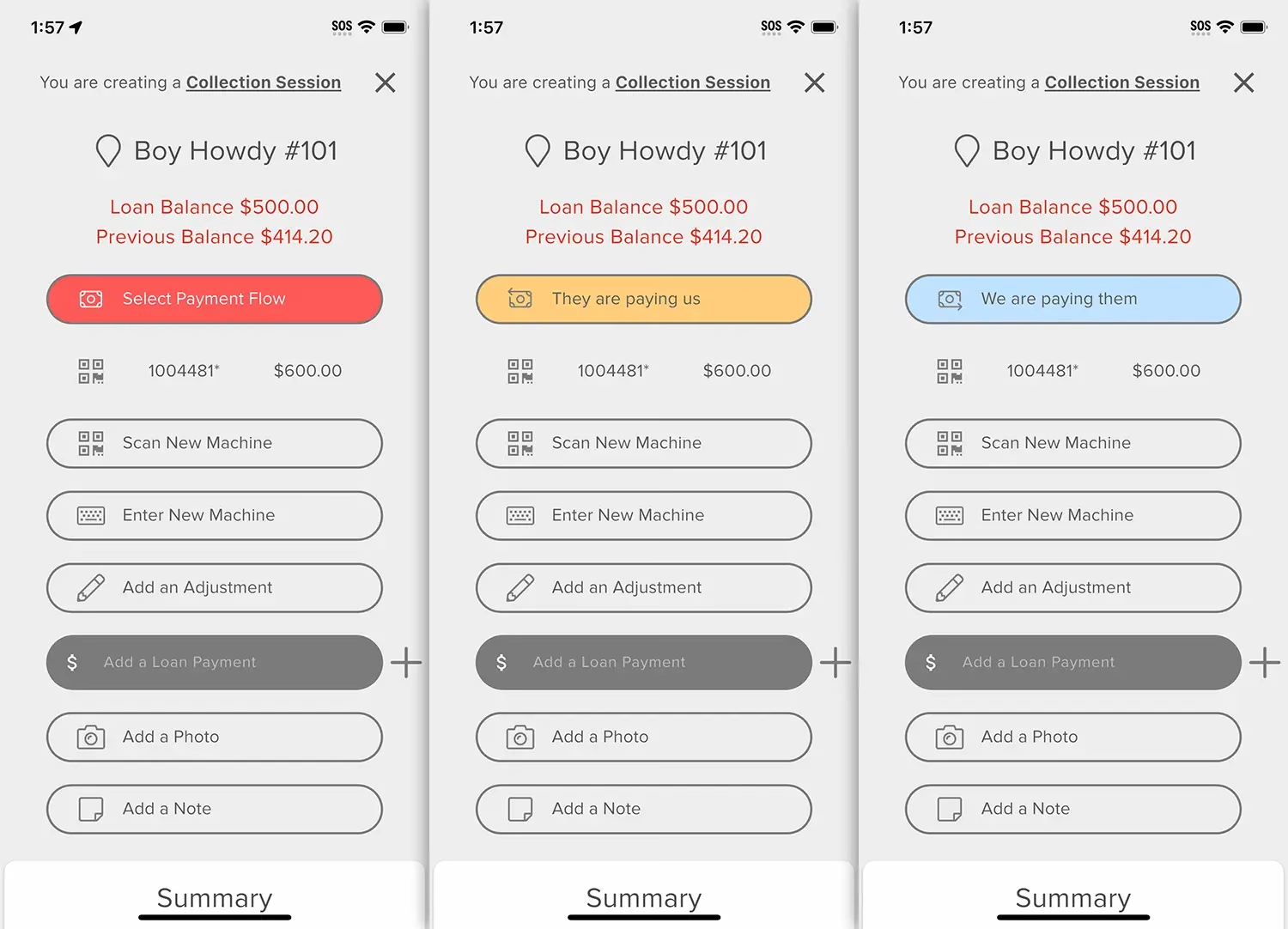
Now, when you start a collection you will need to define who is paying who. In fact, you cannot even save your entry until this is defined.
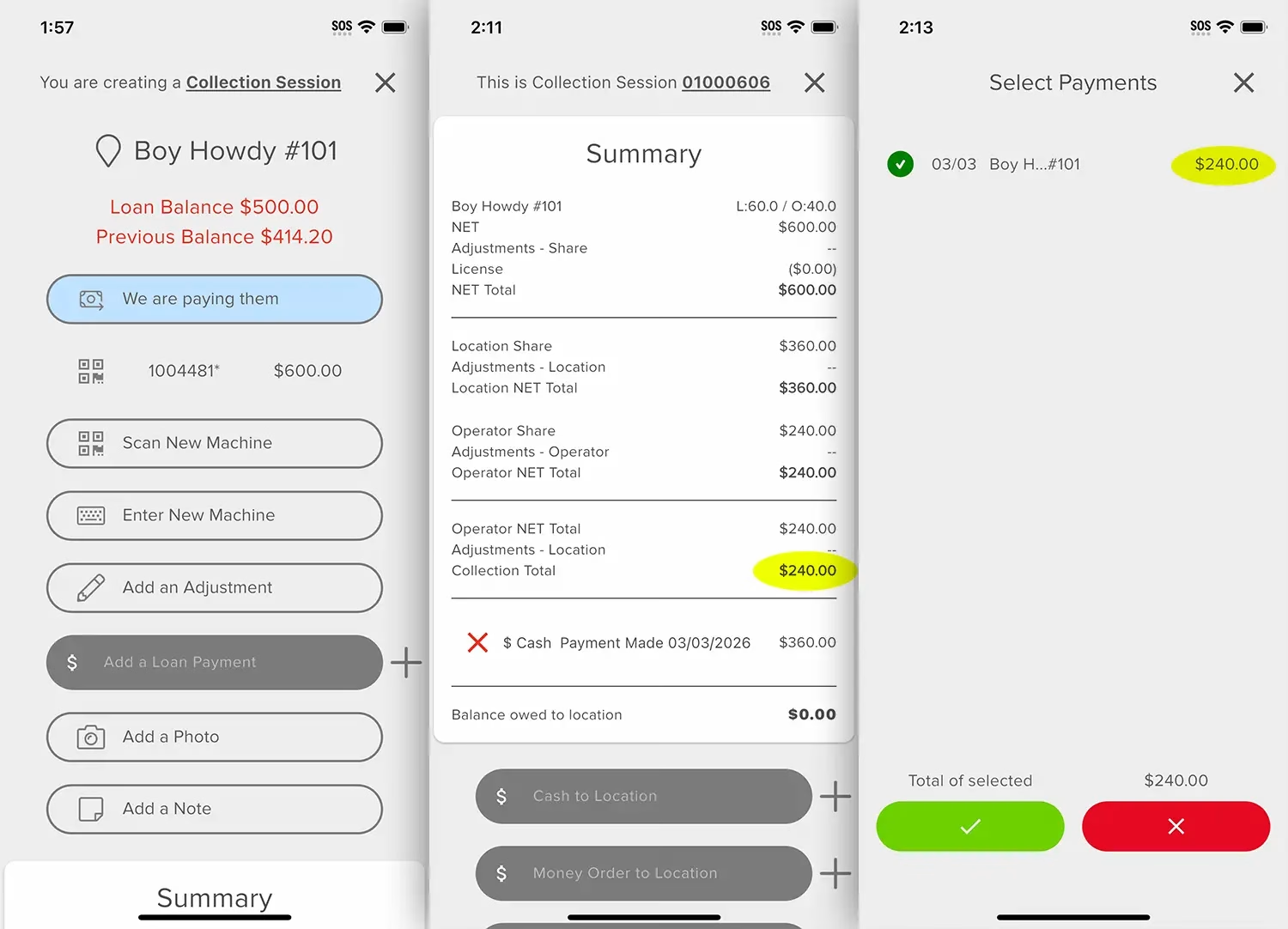
Much like how the system works currently, if you are paying the location, then the amount to pay them appears at the bottom of the collection. Your share is still above, and should populate as being available when creating a deposit.
Kiosk targets, fills, & bleeds
There are new tools that are used to support the devices like the Express platform, where there is a default cash fill inside the game kiosk that is under our control.
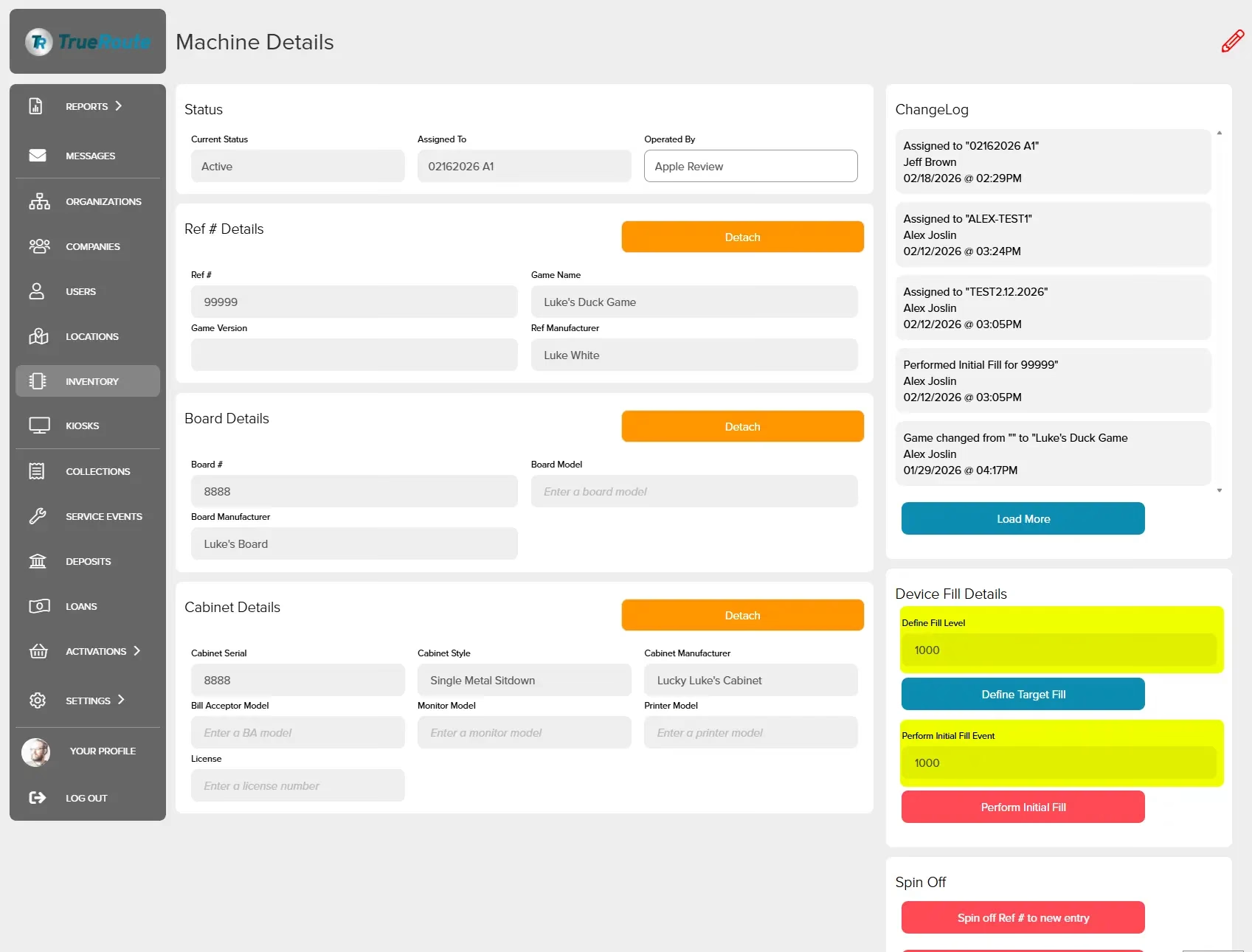
When you view a machines details on the web, you will see a new block on the right side. Here a manager can assign the desired Target fill level, and then how much was actually placed into the machine upon installation (‘Initial Fill’).
If there is a Target defined, but no Initial Fill entered then there is no difference in the collection process. However, once an Initial Fill value has been entered, then new fields become available during the collection process.
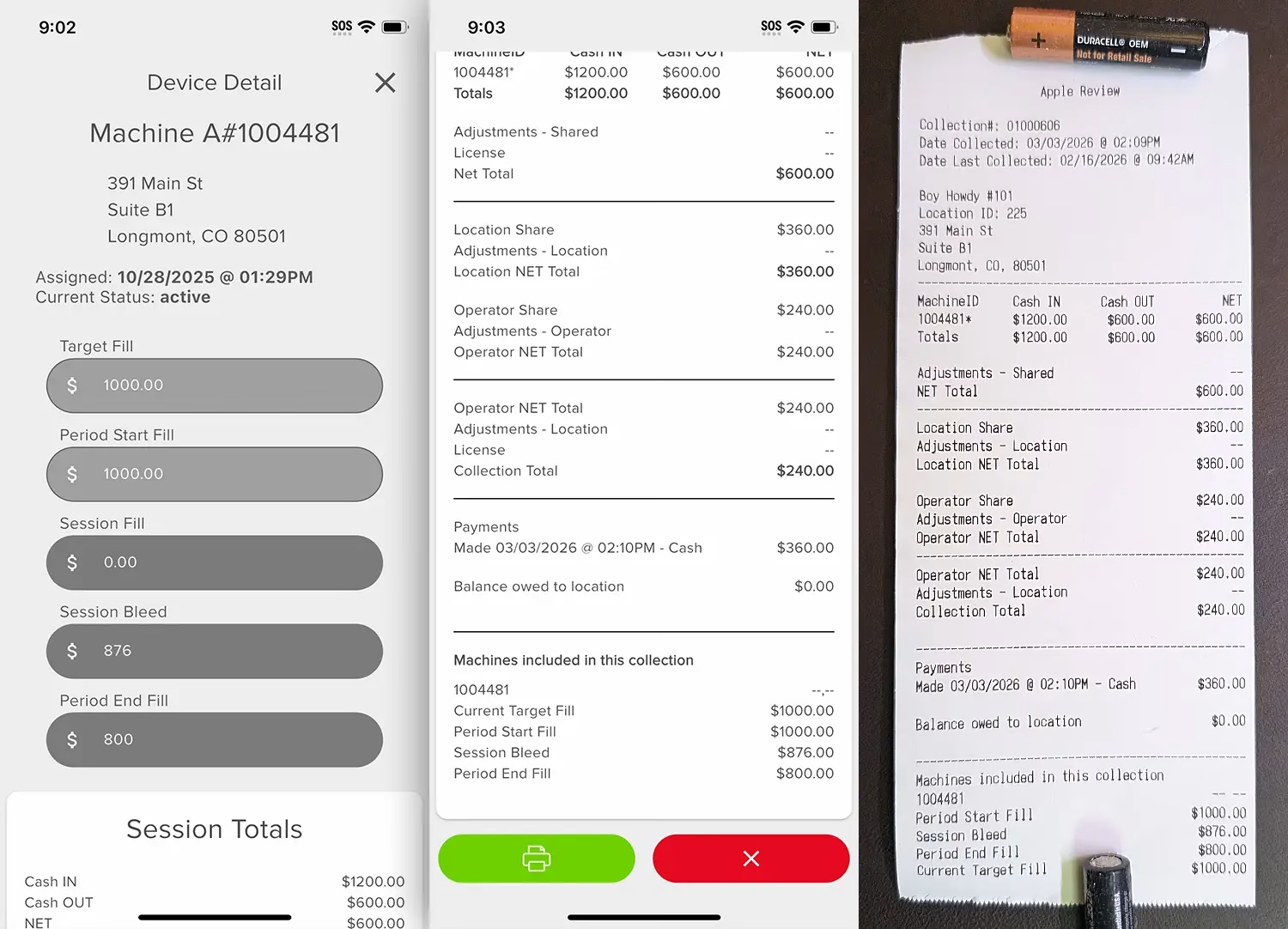
When you enter a machine that has previously had an Initial Fill performed, then you will be prompted to enter details about how you have either bled or filled the device, and what the final Fill level of the machine was after completing the collection.
Once you enter in a final fill level at the end of a collection, this becomes the new Fill Level for the next collection. This helps the accounting department track what cash is where, and then see if the fill rate should be adjusted over time, depending on a locations actual performance.
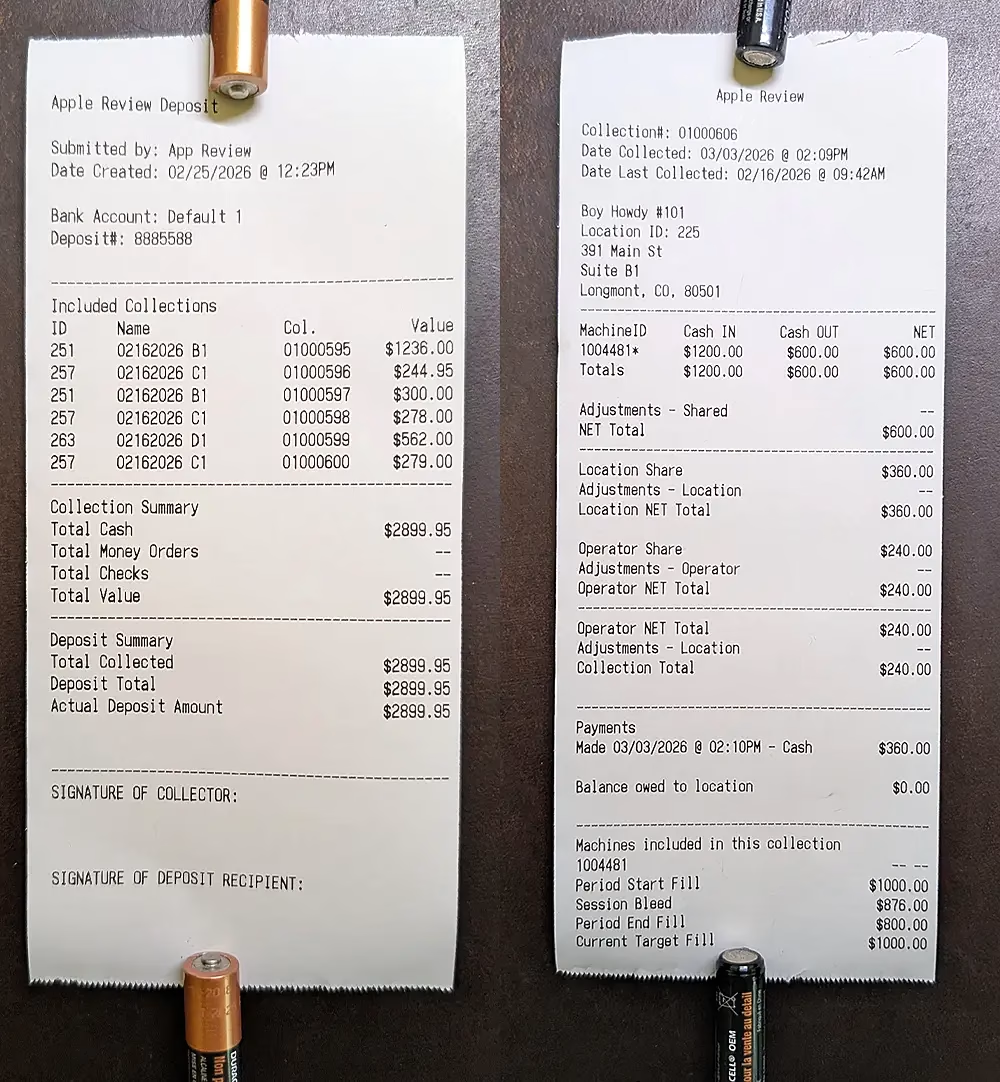
On the printed collection receipt you can see details of each machines fill/bleed activity and final held value.
Updated Receipts
Collections
The collection receipt is largely the same, but an Express devices details are added to the bottom, on a per device basis.
Deposits
Deposit receipts have been expanded to give a more complete view as to the types of payments made and received, and adds signature areas at the bottom to allow a more complete audit trail as to who is handling the money on the field.
General Fixes
- Fee calculations in collections
- Correction for values to include in deposits